Restaurant & Café POS Software
Food menu with product photos, fast counter checkout, VAT invoices, and complete sales history — built for restaurants, cafés, and fast food shops.
See It In Action


Restaurant Dashboard
Restaurant Features
Food Menu with Photos
Create menu items with product photos, categories, and prices. Display in grid or list view for easy counter selection.
Fast Counter Checkout
Add items to cart, apply discounts, calculate VAT/GST, and complete the sale in seconds. Perfect for fast-food counters.
VAT/GST Invoices
Generate professional invoices with restaurant name, itemised order, tax breakdown. Print thermal receipts or save as PDF.
Sales History & Reports
View complete sales history by date range, waiter, or menu item. Export daily summaries to CSV for accounting.
Sales Returns
Process order returns and issue refunds with a full audit trail — no manual corrections needed.
Stock & Ingredient Tracking
Track raw material stock, set low stock alerts, and manage purchases from suppliers.
Customer Management
Maintain customer profiles with order history and outstanding balances for credit accounts.
Multiple Payment Methods
Accept cash, card, mobile payment, or split payments. Record each payment type separately.
Purchase & Supplier Orders
Create purchase orders for ingredients and supplies. Track supplier balances and payment history.
Accounting & Reports
Auto-post all sales and purchases to the general ledger. Profit & loss, cash flow, and tax reports included.
Watch the Restaurant Demo
Full walkthrough of menu items with photos, counter checkout, invoices, and returns.
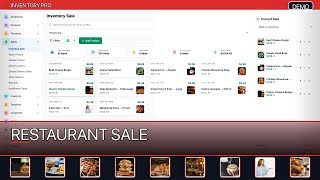
Restaurant & Café POS Demo — Menu, Billing, Sales History & Returns
Watch on YouTube